WARNING: This model (and apparently others from Sony) draws ~10% of battery capacity per day although it's completely shut down!
4 GB SO-DIMMs:
How to install Intel GMA driver 2302 [2702] and nVidia GeForce driver 341.81 (last modded version that supports the 9300M GS) on Windows 7 [8.1/10] with working BLU brightness adjustment [for nVidia via Charms control]:
- Switch to Stamina
- Flash BIOS with graphics switching policy hack (VGN-Z41WD), enter with F2 and set it to static. Do not enable VT-d with asymmetric RAM channels, see Errata 10!
- Windows Update will automatically install Intel GMA driver 2302 [2702]
- Switch to Speed
- Reboot [with disabled driver signing]
- Uninstall any nVidia drivers
- The process might be more stable when switching to Windows and Vaio high performance power plans. Perhaps disabling the internal panel would also help.
- Extract GeForce driver
- Copy nv_dispi.inf to NVIDIA\DisplayDriver\341.81\Win8_WinVista_Win7_64\International\Display.Driver\nv_dispi.inf (Source)
- Start NVIDIA\DisplayDriver\341.81\Win8_WinVista_Win7_64\International\setup.exe via Remote Desktop Connection, choose custom install and deselect GeForce Experience. When BSOD: Disable PowerMizer after graphics driver got installed while installer still running
- Disable Adaptive clock speed with PowerMizer Manager via Remote Desktop Connection (else screen flickering and BSOD; the nVidia control panel can't be started via Remote Desktop Connection)
[Unfortunately, for me resume from S4 hibernation in Stamina mode often BSODs ;-( ]
When the nVidia HDMI audio device disappears, repeat uninstalling the Realtek audio drivers unless it's visible again.
Disable Wake Timers to prevent spurious power on
ALPS Touchpad driver 7.106.529.210 for Windows 7 [8] with reliable mouse button detection
Disable corner mouse wheel emulation
Installing the Qualcomm Gobi driver under Windows 8:
copy /y \windows\System32\difxapi.dll "\Gobi_UNDP_1_driver_72_VJ709_4_1.0.09_6.0.5.4\Source\Module Retargetable Folder\QCUSB-Sony\DriverPackage\Microsoft\DIFxAPI\amd64"
Use WWAN_Driver_R5_Generic_1.x_32bit_64bit_E_6.0_6.0.6.3_ALL.zip
Reassign important keys so Fn key isn't necessary:
| Page Up | ^
|
| Page Down | Caps Lock
|
| Home | Print
|
| End | Pause
|
Windows: Vaio Z.ktw for use with KeyTweak; Linux: ~/.Xmodmap
Download MWqcgps and start it with
MWqcgps.exe 1
While it is running, GPS NMEA sentences are available on the COM Port called Qualcomm HS-USB NMEA 9222 in the Device Manager. Example output:
$GPGSV,3,1,10,02,26,309,35,04,56,254,39,07,29,174,26,08,00,189,*7C
$GPGSV,3,2,10,10,16,292,16,13,86,277,35,16,11,064,24,20,33,112,29*71
$GPGSV,3,3,10,23,61,060,18,32,07,106,*70
$GPGGA,121047.9,4941.565203,N,01049.171542,E,1,07,1.5,348.9,M,,,,*05
$GPVTG,,T,,M,0.0,N,0.0,K,N*2C
$GPRMC,121047.9,A,4941.565203,N,01049.171542,E,0.0,,030410,,,A*49
$GPGSA,A,3,02,04,07,10,13,20,23,,,,,,2.5,1.5,2.0*32
GPSDirect: Windows Sensor Platform driver [untested]
Patched sony-laptop.c kernel module for Ubuntu 9.10/kernel 2.6.31 / Ubuntu 10.04/kernel 2.6.32 with dynamic graphics switching policy GPU power down to save 20-15=5 W (full brightness+WLAN)
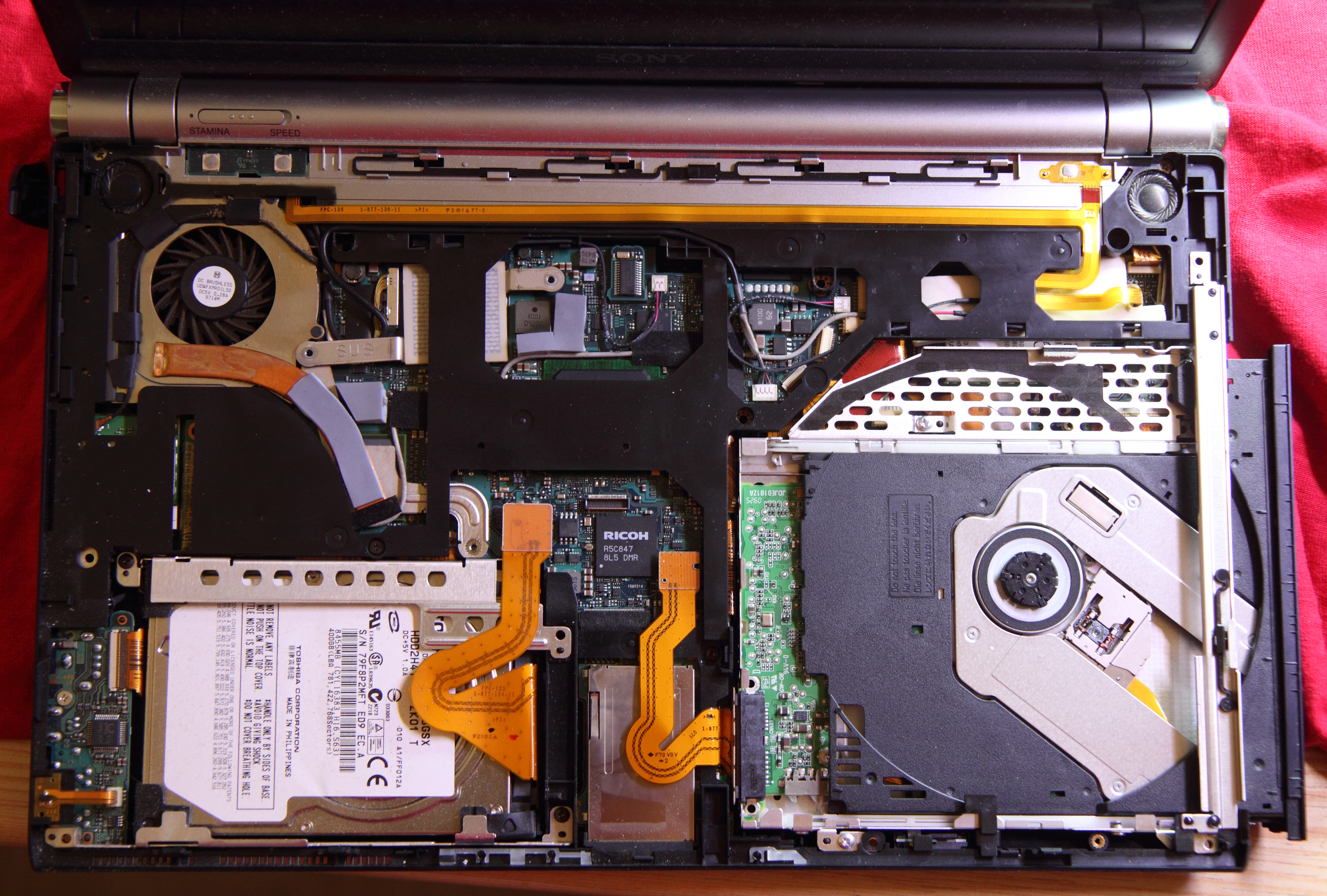
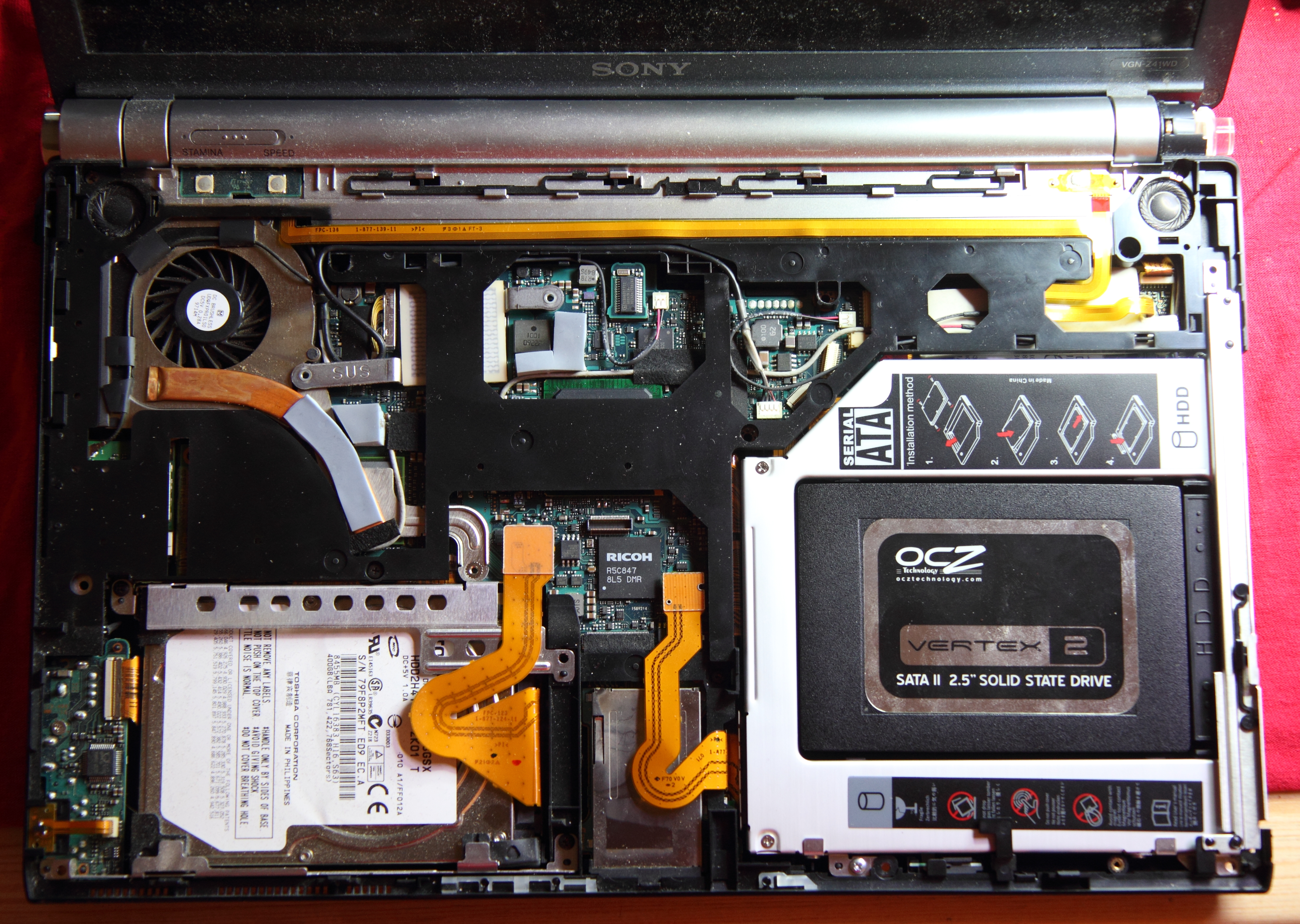
Replacing the Super Multi ODD with a SSD:
Sven Killig 2010-2013